Redeem the latest AniPixels codes to get free characters and boosters before they expire. Use these codes to strengthen your squad, level up faster, and gain an edge in battles.
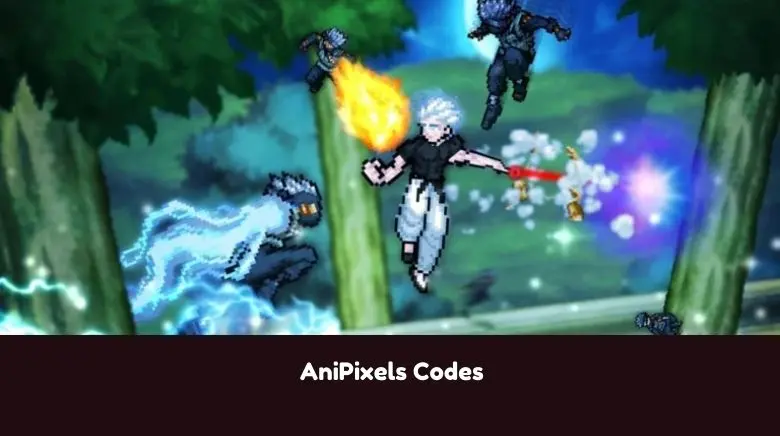
Updated AniPixels codes on June 1, 2026.
AniPixels is a battle and collection game where you capture pixel-styled anime fighters from multiple anime-inspired worlds. Defeat opponents to recruit them, build powerful teams with unique strengths, and unlock special abilities that shift the momentum of combat. Explore diverse dimensions, collect over 700 AniPixels, and progress to become the strongest trainer across worlds.
This Roblox AniPixels Codes Wiki covers the latest list of working codes that reward characters and boosters, along with a guide on using the codes.
Before proceeding to the code list below, I highly recommend bookmarking this page and checking back regularly for updates. Developers regularly release new AniPixels codes; redeem them as soon as possible. All codes are time-limited, meaning they expire after a specified period.
All AniPixels Codes
Working AniPixels Codes are:
- 1DragonBall = 100 Event Points and 1 Dragon Ball (NEW)
- 2DragonBall = 100 Event Points and 1 Dragon Ball (NEW)
- 3DragonBall = 100 Event Points and 1 Dragon Ball (NEW)
- 4DragonBall = 100 Event Points and 1 Dragon Ball (NEW)
- 5DragonBall = 100 Event Points and 1 Dragon Ball (NEW)
- 6DragonBall = 100 Event Points and 1 Dragon Ball (NEW)
- 7DragonBall = 100 Event Points and 1 Dragon Ball (NEW)
- SRY4DELAY1 – Misc. rewards
- SRY4DELAY2 – Misc. rewards
- SRY4DELAY3 – Misc. rewards
- SRY4DELAY4 – Misc. rewards
- SRY4DELAY5 – Misc. rewards
- MagicalFairy – Misc. rewards
- AnothaOne – 1 Dragon Ball
- FreeDragonBall – 1 Dragon Ball
- Doppio = Doppio
- CandyVegito = CandyVegito
- Gojo (Legs) = Gogo (Legs)
If you know any additional AniPixels codes that aren’t listed above, please let me know in the comments. If any code is not working, please share it as well. I will add new codes as soon as they are released!
Expired Codes
The following codes are not working anymore in the Roblox AniPixels:
Show Expired Codes
- N/A
AniPixels Codes FAQ
Q.) How do I redeem AniPixels Codes?
A: To redeem codes in AniPixels, follow these steps:
- Launch AniPixels on Roblox
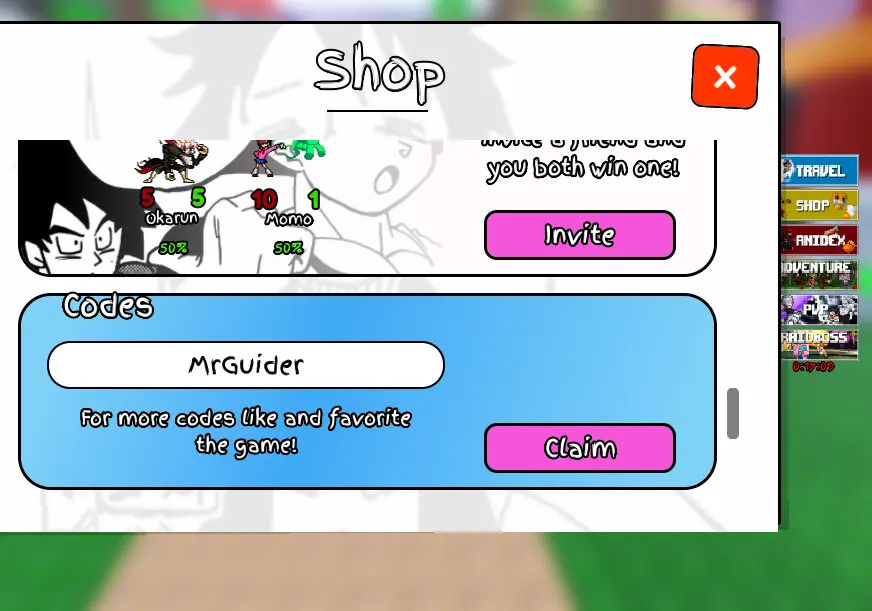
- Click the shop button on the left and scroll down to the codes section, which is in the last 2nd section.
- Enter the code and click the redeem button to receive the rewards.
Q.) How to get more codes for AniPixels?
A: To get more codes for AniPixels, make sure to follow the game’s official Roblox page, join the Discord server, and keep an eye on their X (Twitter) account and YouTube channel for the latest updates. You should also revisit this page regularly, as new codes are often added to reward players with extra boosts and freebies.
Q.) Why are the codes for AniPixels not working for me?
A: If the codes shared above for the AniPixels didn’t work, they’re most likely expired. As mentioned above, codes have a time limit and are available only for a limited period. Once this time expires, they will no longer work. That’s why I recommend redeeming them as soon as they are out. Whenever a new update is released, check the official Discord, X, or this page for the latest code and redeem it as soon as possible.
Q.) When are the new codes for AniPixels released?
A: New codes for AniPixels are usually released during major game updates, when the game hits certain player milestones, and on special occasions or prominent days. Keep an eye out around these times, as they’re the most likely moments when new codes will be released.
Related:
That’s everything I have in this post about AniPixels Codes. Please have no hesitation to leave a comment below if you’ve found any working codes for AniPixels or have questions. I’ll do my best to reply quickly. If you know of any new codes not listed above, please share them in the comments so other players can benefit as well!