Redeem the latest Craft a Plushie codes to get free cash and diamonds before they expire. Use these codes to upgrade your machinery, unlock new plushie designs, and expand your toy factory faster.
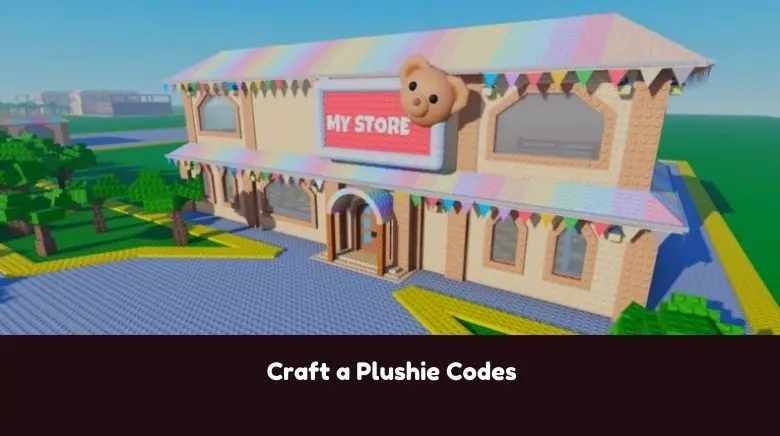
Updated Craft a Plushie codes on July 11, 2026.
In Roblox Craft a Plushie, you can build and manage your own adorable toy factory and boutique. Use specialized machinery to manufacture a wide variety of plushies, from common favorites to rare, hard-to-find designs. Sell your colorful creations to happy customers to earn cash and expand your business empire. Discover new patterns, upgrade your equipment, and turn your shop into the ultimate destination for plushie lovers everywhere.
This Roblox Craft a Plushie Codes Wiki covers the latest list of working codes that reward cash and diamonds, along with a guide on using the codes.
Before proceeding to the code list below, I highly recommend bookmarking this page and checking back regularly for updates. Developers regularly release new Craft a Plushie codes; redeem them as soon as possible. All codes are time-limited, meaning they expire after a specified period.
All Craft a Plushie Codes
Working Craft a Plushie Codes are:
- EASTER2026 – Freebies [Limited usage] (NEW)
- EASTER2ND – Freebies [Limited usage] (NEW)
- WOWORKER – Freebies [Limited usage] (NEW)
If you know any additional Craft a Plushie codes that aren’t listed above, please let me know in the comments. If any code is not working, please share it as well. I will add new codes as soon as they are released!
Expired Codes
The following codes are not working anymore in the Roblox Craft a Plushie:
Show Expired Codes
- ILIKEDIAMONDS – Diamonds [Limited usage]
- MAGIC – Free Cash
- 200PlAYERSON – Free Cash and Diamonds
- 100PLAYERSON – Free Cash and Diamonds
- Recycler – Free Cash and Diamonds
Craft a Plushie Codes FAQ
Q.) How do I redeem Craft a Plushie Codes?
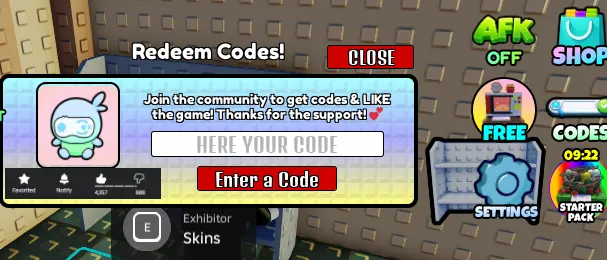
A: To redeem codes in Craft a Plushie, follow these instructions:
- Launch Craft a Plushie on Roblox
- Click the code button on the right side of the game screen
- A new window will pop up with a code input box
- Enter the code
- Press the red button below the code input box to claim the code or press the enter key after entering the code
- If the code is active, you will receive the rewards immediately
Q.) How to get more codes for Craft a Plushie?
A: To get more codes for Craft a Plushie, make sure to follow the game’s official Roblox page, join the Discord server, and keep an eye on their X (Twitter) account and YouTube channel for the latest updates. You should also revisit this page regularly, as new codes are often added to reward players with extra boosts and freebies.
Q.) Why are the codes for Craft a Plushie not working for me?
A: If the codes shared above for the Craft a Plushie didn’t work, they’re most likely expired. As mentioned above, codes have a time limit and are available only for a limited period. Once this time expires, they will no longer work. That’s why I recommend redeeming them as soon as they are out. Whenever a new update is released, check the official Discord, X, or this page for the latest code and redeem it as soon as possible.
Q.) When are the new codes for Craft a Plushie released?
A: New codes for Craft a Plushie are usually released during major game updates, when the game hits certain player milestones, and on special occasions or prominent days. Keep an eye out around these times, as they’re the most likely moments when new codes will be released.
Related:
That’s everything I have in this post about Craft a Plushie Codes. Please have no hesitation to leave a comment below if you’ve found any working codes for Craft a Plushie or have questions. I’ll do my best to reply quickly. If you know of any new codes not listed above, please share them in the comments so other players can benefit as well!